UX/UI · 01
Cookify
We had to design a digital product that actually solves a real world problem and stays easy to use and accessible while doing it.
The Problem
So we were given several real world issues to choose from and my group and I went with data security and privacy. It's a broad and difficult topic and at first we were very torn after doing a lot of research on it. People share their personal data online all the time without really knowing what they're agreeing to, and privacy settings are usually unclear, hidden or just hard to manage so people end up with basically no control over their own information.
The Idea
How could a group of design students actually come up with a solution for something as serious and complicated as data security. We wanted to find a simpler and more visual way to show people how their data gets collected, used and shared instead of burying it in a settings menu nobody reads.
The Solution
Cookify was our idea of giving the average joe control over their data that they release, because after interviews and testing we found some people actually want to give their data. So Cookify brings all your privacy controls into one place, shows you what data is being collected, who can access it, and lets you customize or remove permissions however you want.
The Process
Early sketches
Before Cookify looked anything like it does now we explored three totally different directions on our own, all trying to tackle the same problem of people sharing their data without really understanding it. Going through what each one got right and what it didn't is what led us to combine them into one idea, making data sharing something you can actually see and shape instead of just another settings list.
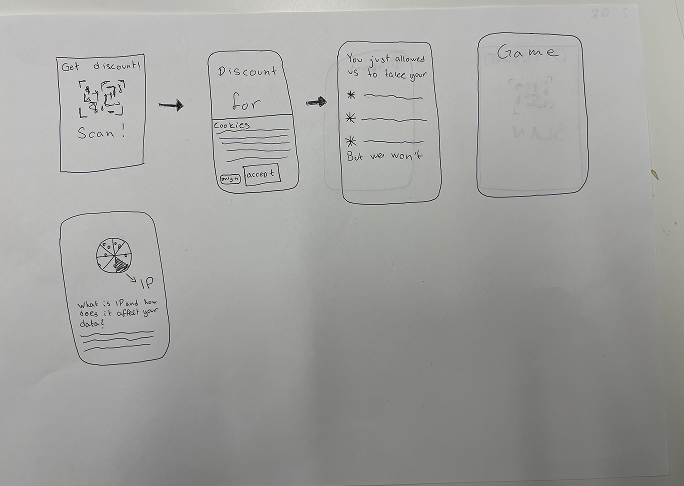
1. The quick wake-up call
A jolt for people who move too fast to read
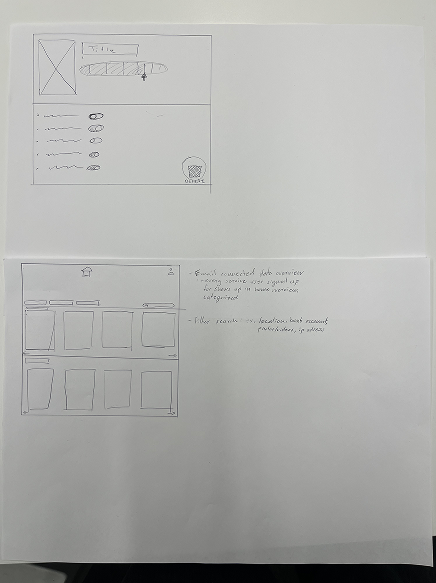
These paper sketches were for a QR triggered flow where you scan for a discount and it reveals exactly what you just agreed to, basically a little jolt for people who move too fast to actually read consent screens. From there the QR code led into a short game, turning that jolt into something that actually built awareness around what happens to your data.
2. Nutri score for data
A nutrition label for your data
This one was sketched like a nutrition label, for people who just wanted a private space to see exactly which companies had their data and delete it easily, plus a score for every site showing how well it actually handled your data.
3. Personalisation & control
Organized by the algorithm behind it
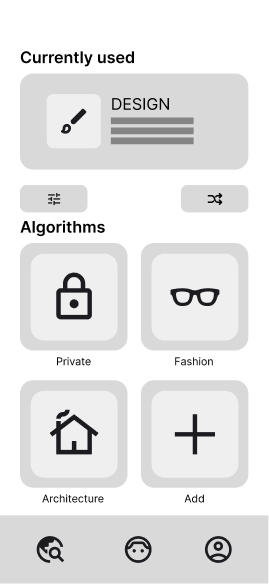
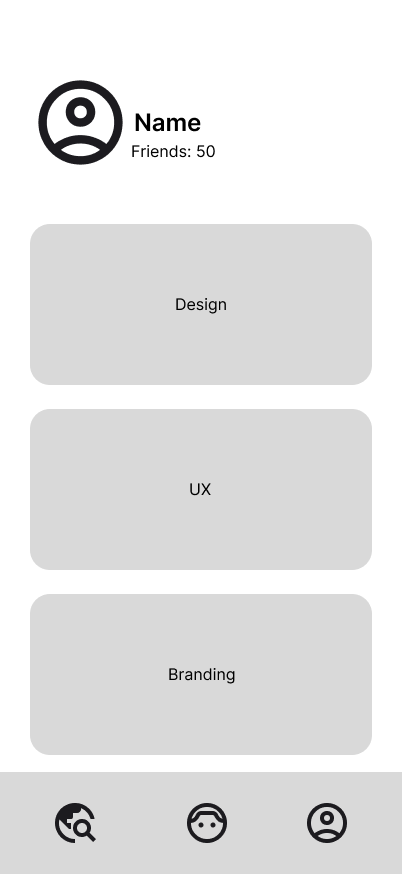
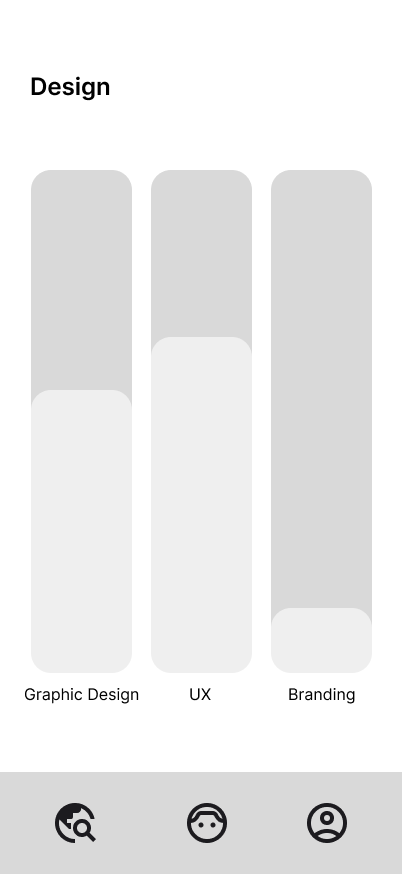
The core idea here was being able to switch between algorithm profiles, so if you only wanted to scroll fashion content you'd just switch on your Fashion profile, not all three categories had to be active at once, it was more about choosing which lens your feed ran through.
In the end we combined bits from all three of these ideas and shifted the whole concept over into the cookie app, which is what we actually ended up building.
Tabs + list, vs. slice labels
Early layout tests for the data breakdown
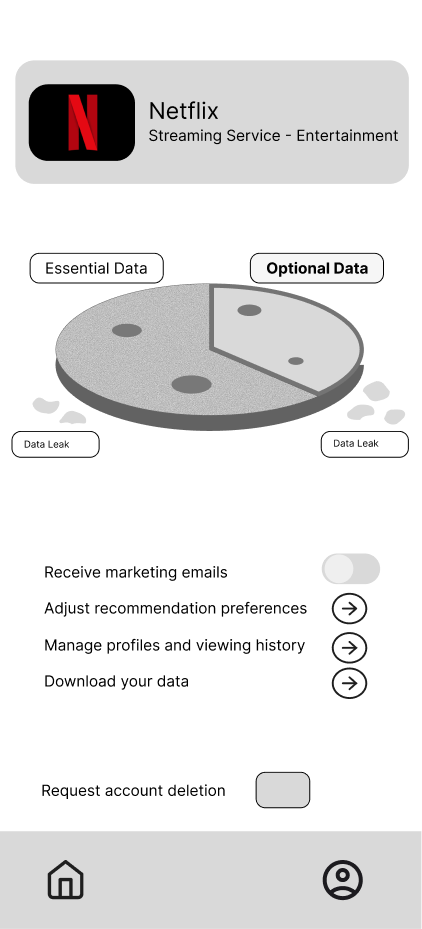
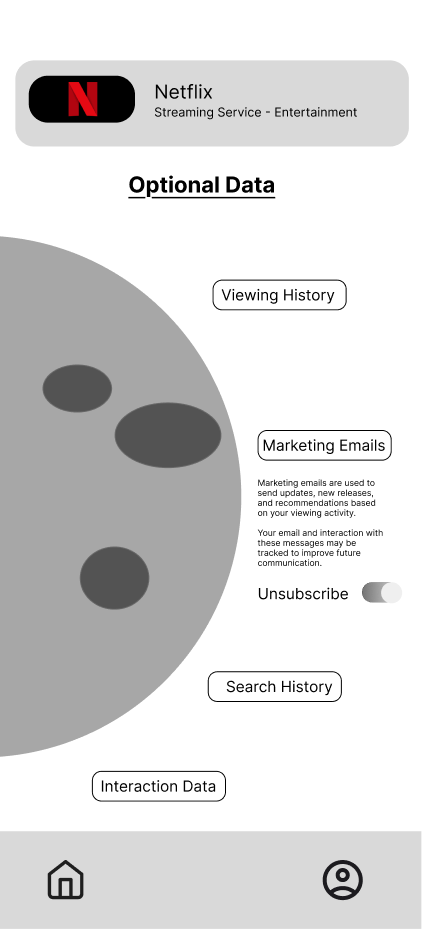
By this point the cookie metaphor already existed, so this was actually one of our first iterations on how we could play with it visually. We tried a couple of layouts for the pie chart itself, one with tab style Essential and Optional labels and a list of toggles below the chart, and another using labeled buttons pointing at each slice instead. Netflix was just a placeholder brand while we worked out the visuals, we never actually looked into what data Netflix takes.
At this stage we were also considering making it more informational, explaining what things like Search History, Marketing Emails or Interaction Data actually meant. But when we user tested it people didn't really care that much about learning what data was being shared, they just liked being able to customize it a little. A huge majority of our testers actually said they like algorithms and like seeing content that they like.
Bake custom cookie
The actual cookie creation flow
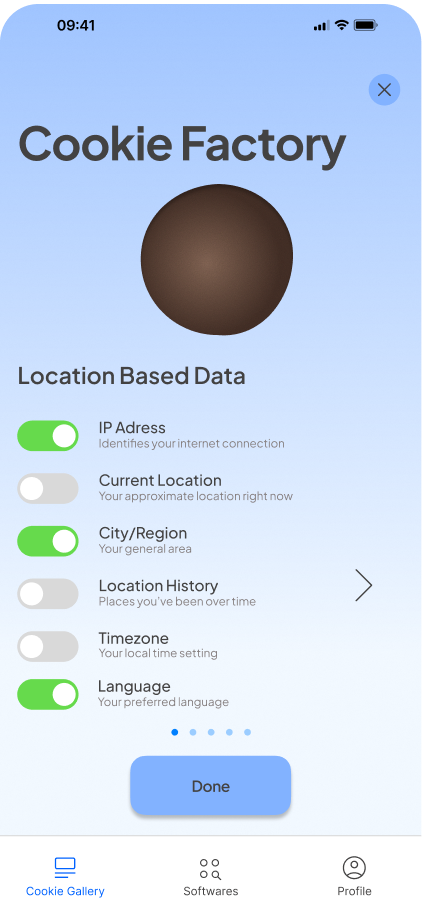
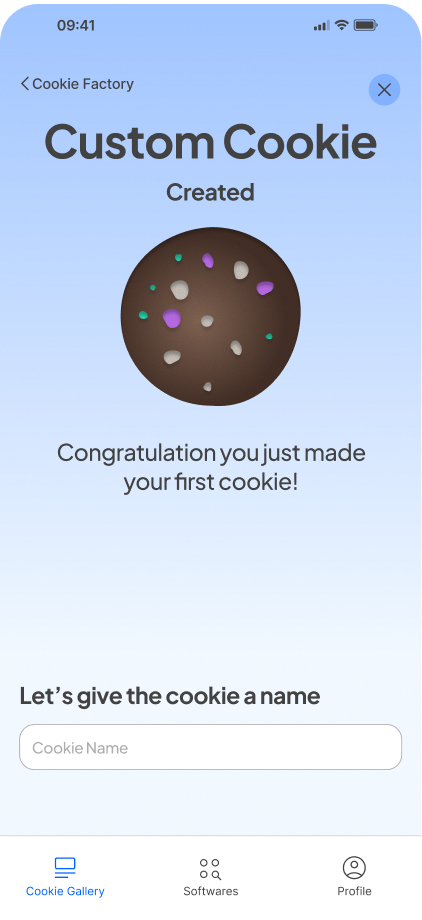
After opening the app you tap Bake Custom Cookie from the Cookie Gallery to get into Cookie Factory, where you pick and choose what data you're willing to share by toggling things like location, IP address and language on and off, and once you're happy with it you get handed your own custom cookie you can name, which is basically the whole point of the app.
Iterations
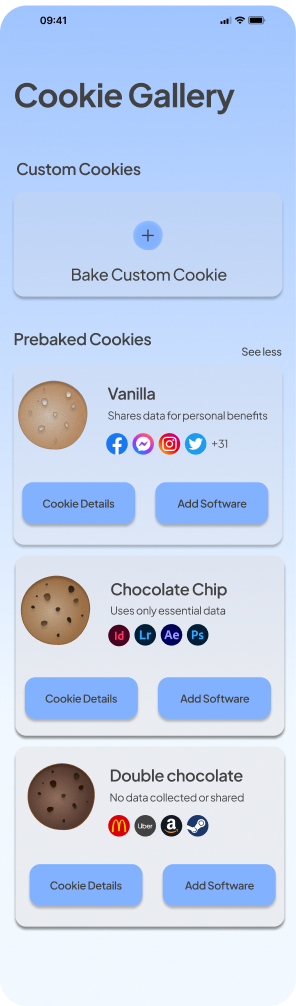
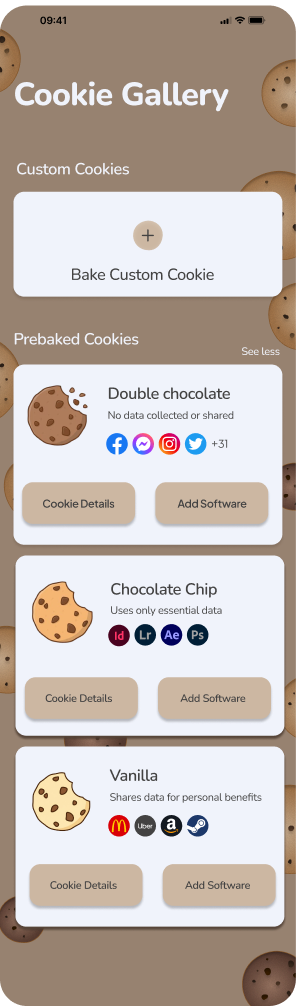
Early version vs. latest redesign
These two Cookie Gallery screens are actually the same layout, we just changed the background to a warmer cookie crumb tone and swapped the photographic cookie thumbnails for flat illustrated icons, nothing else about the layout or navigation actually changed.
Fun vs. functional
How playful can the cookie metaphor actually get before it stops being clear what each toggle controls?
That question kept coming up through every version and followed us into later iterations too. It's the tension that shaped most of the small decisions across the app, from icon style down to copy tone.
Reflection
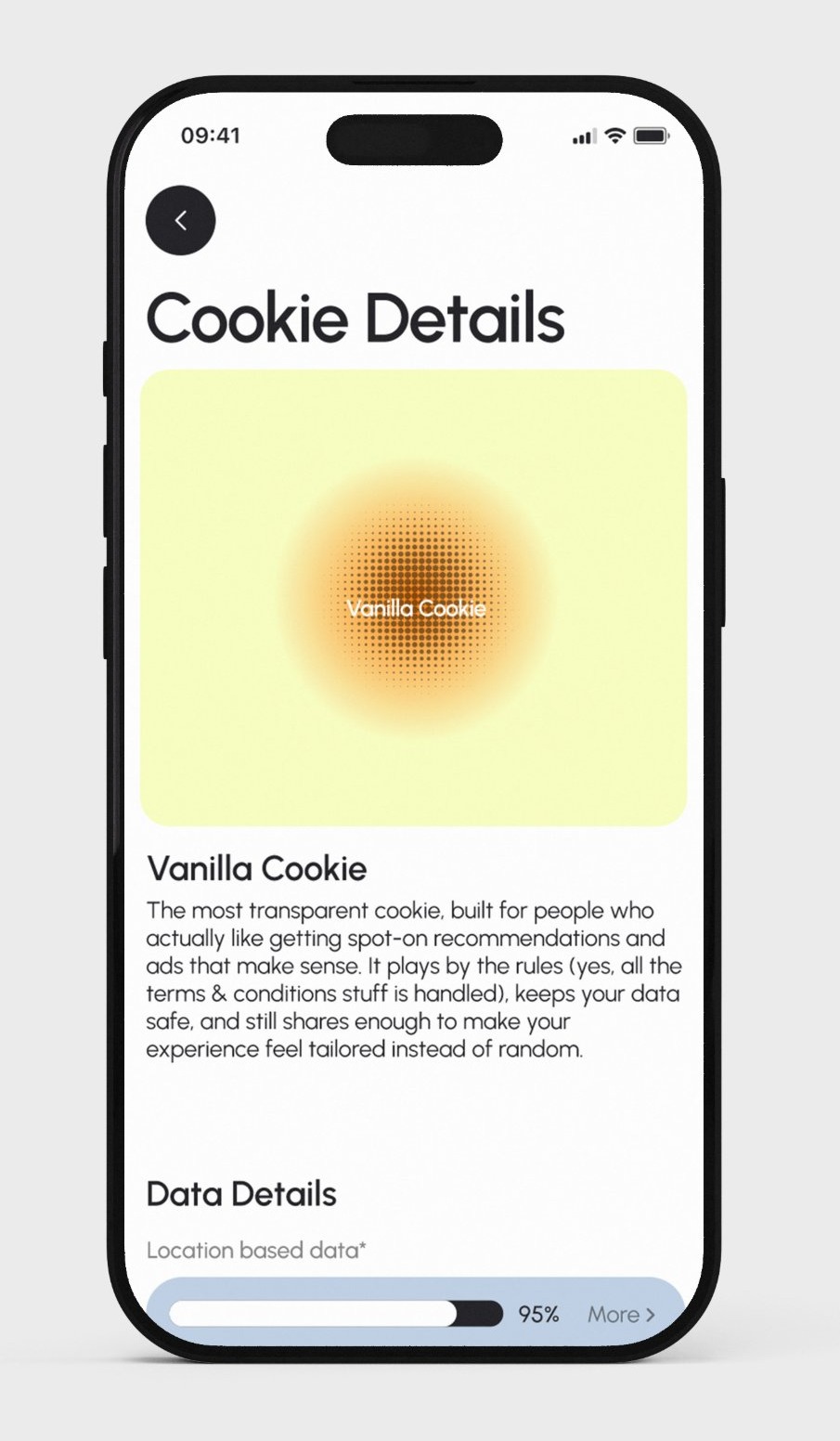
Looking back there's a few things I'd still want to tighten up. On the Cookie Details screen the permissions status sits right up against the bottom navigation and needs a cleaner scroll or layout fix. Onboarding is also missing since there's no first time explanation of what a cookie even means here before you land straight in the Cookie Gallery. And a small confirmation after saving changes in the Cookie Factory would close the loop too instead of just dropping you back to the previous screen with no feedback at all.
After the brief
Revisiting it on my own time
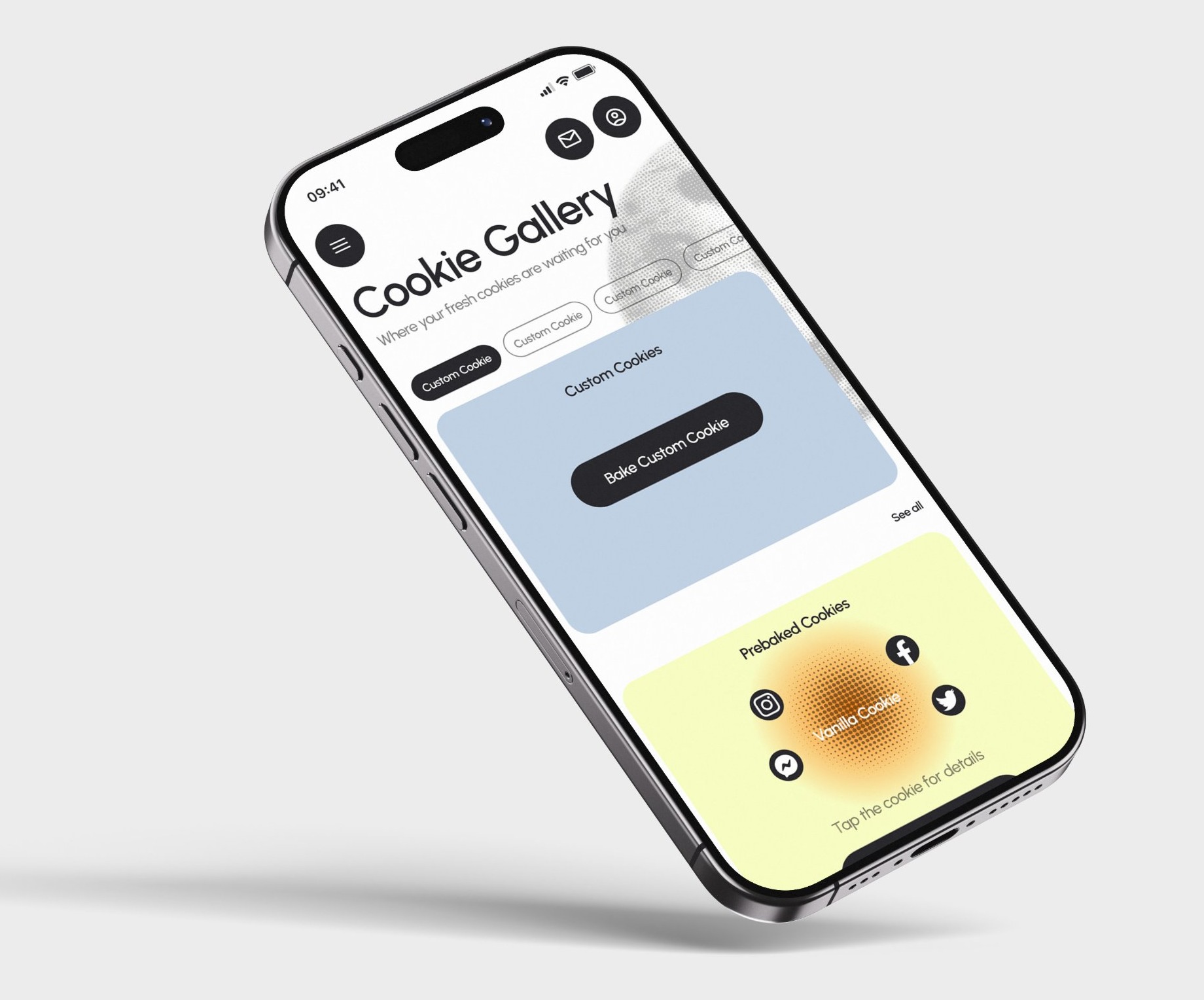
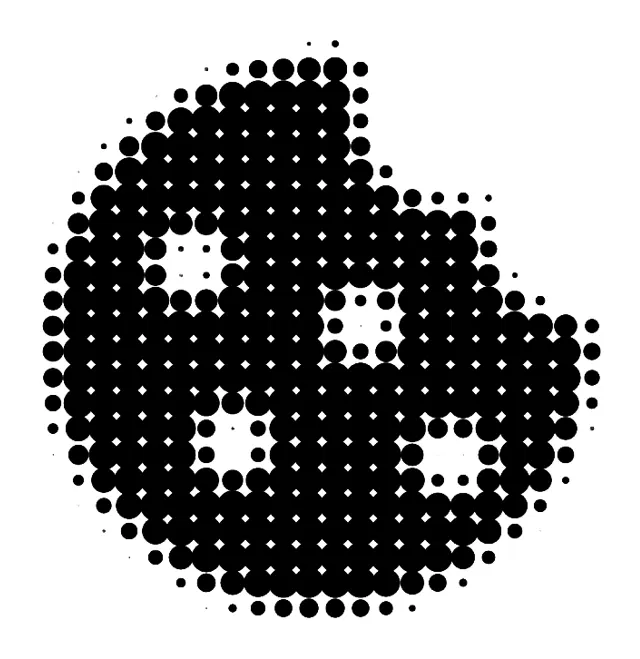
Once the project wrapped I kept playing with the visual direction on my own, pulling it back toward something more techy with a cleaner, simpler flow through the Cookie Gallery and Cookie Details screens. During testing people had actually responded better to a more blue, techy direction, but some disagreement within the group meant that got overruled, and we ended up shipping the warmer cream and yellow version instead. This was partly me going back to build what testing had actually pointed to, plus playing with a more techy, halftone take on the cookie icon itself.