UX/UI · 02
Happn
We had to design a digital product that makes finding local events more engaging, personal and social.
The Problem
Finding events can feel overwhelming because the information is spread across so many different platforms, and it's also hard to know which events your friends are actually interested in or planning on going to.
The Idea
We wanted to bring the familiar swiping experience from dating apps into event discovery so it's quicker and more fun to find stuff that's actually relevant to you.
The Solution
HAPPN is an event discovery app where you swipe right to save an event or left to skip it. Saved events get added to your personal list and you can mark that you're attending so your friends can see it and join you.
The Process
Initial concept screens
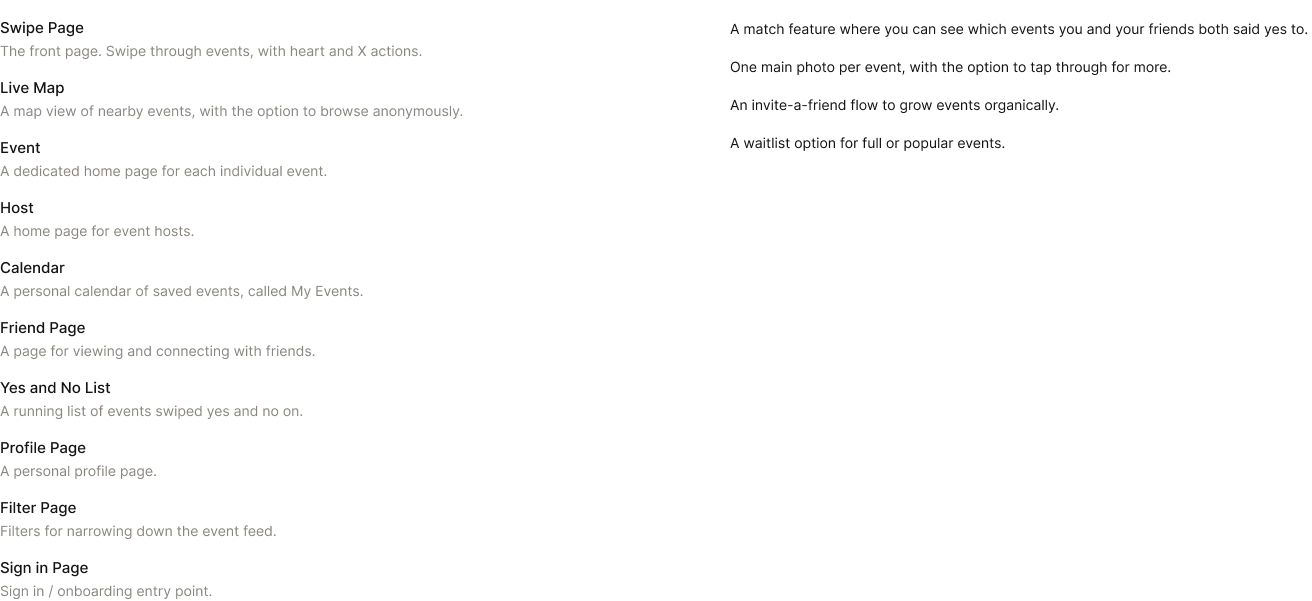
Before the swipe based concept took shape the project actually started as an open brainstorm where we mapped out every screen the app might need and then narrowed it down. The full concept covered ten screens, everything from a swipe front page to a live map, event and host pages, friends and profile, and we scoped it together with a project partner before refining it into the final HAPPN experience.
Swipe screen iterations
Building the brand into the card view
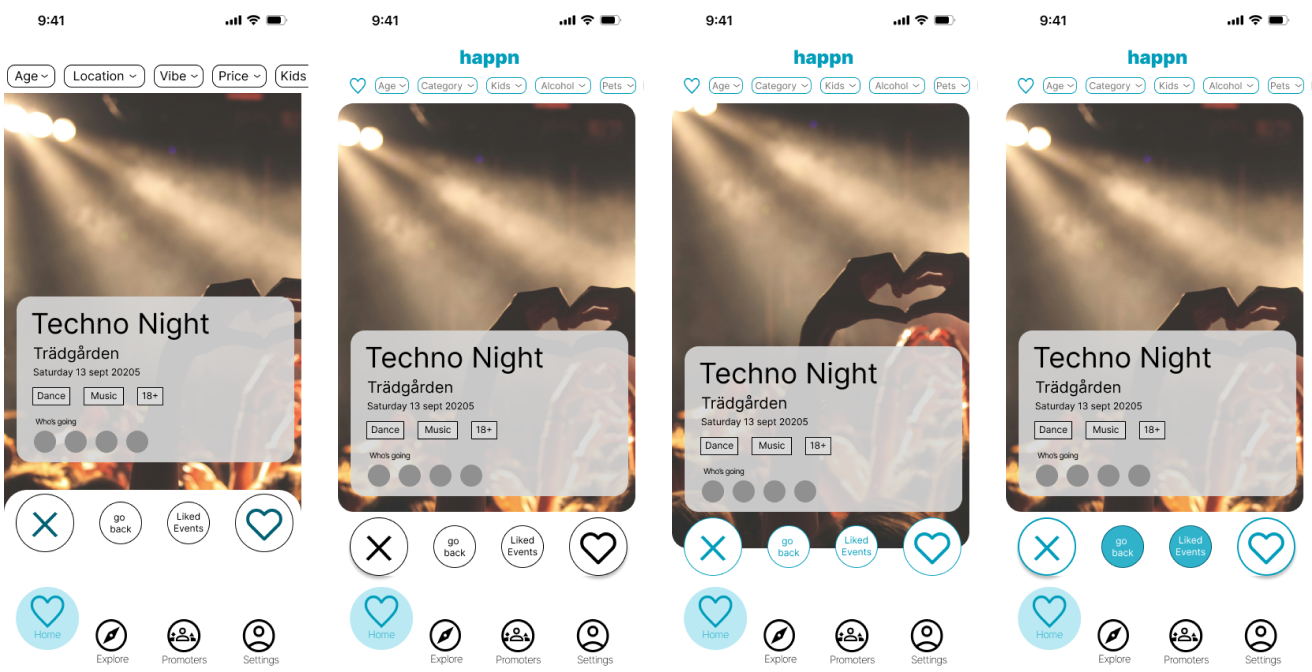
Our early swipe screen passes were testing how much branding the card view could actually carry. Later iterations introduced the happn wordmark in the header and worked the brand blue into the filter chips, the active nav icon and finally the action buttons, building up the visual hierarchy without competing with the event photography.
Host profile iterations
From a static listing to a fuller presence
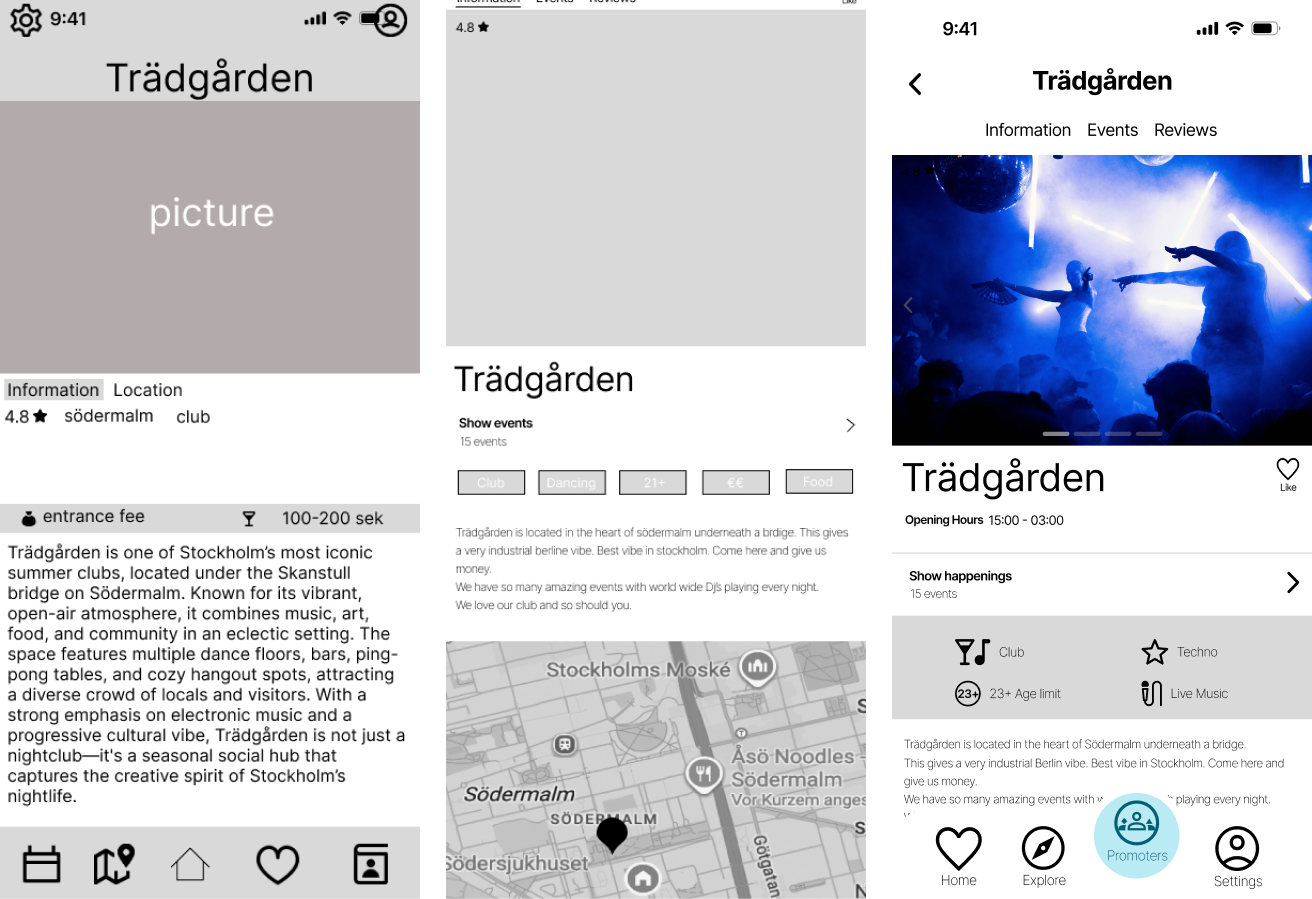
The early host page was just a simple two tab layout with basic info and a location map, and it didn't really give any sense of what the host had actually hosted before. The final version adds a third tab for reviews, a running events count and category tags, which gives hosts a much fuller presence instead of just a single static listing.
Onboarding: two approaches
Checkboxes beat open text fields
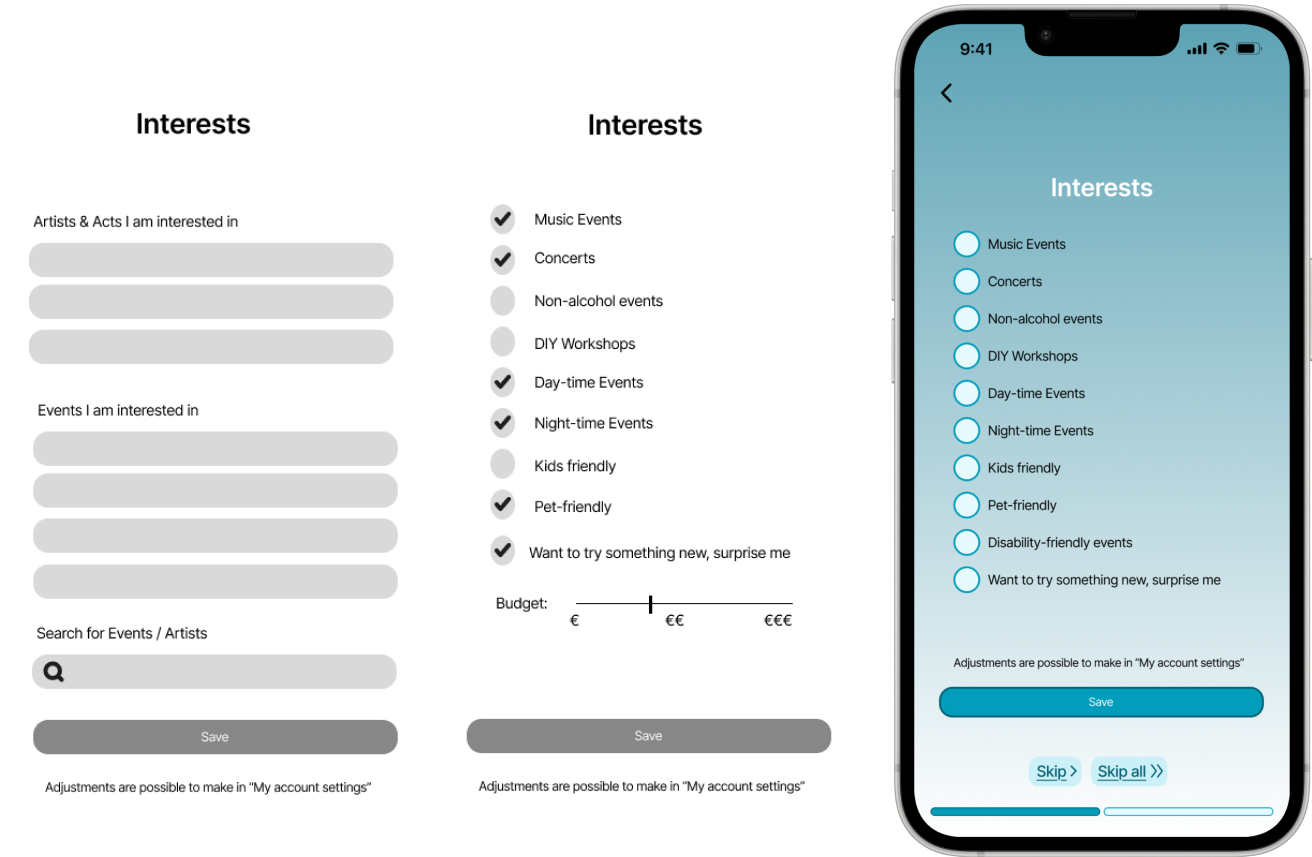
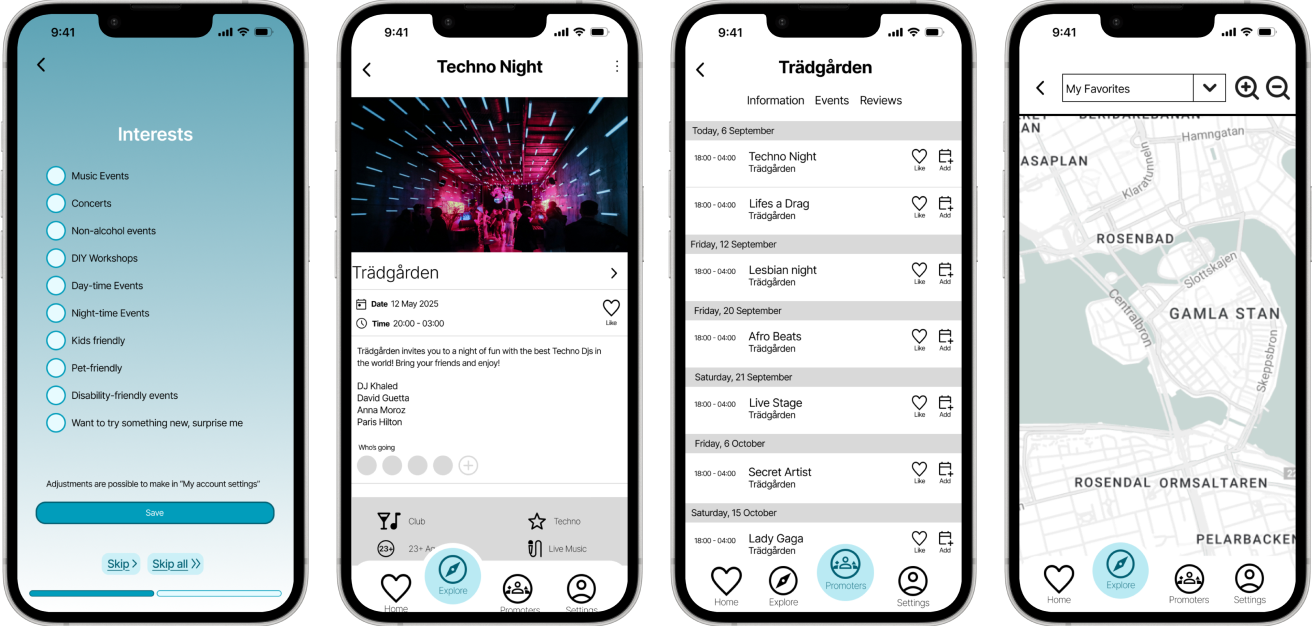
We tested two approaches for capturing what someone's into, a tap to select list of categories with a budget slider versus open text fields for artists and events. The checkbox version won out because it's scannable, has no blank page problem and turns preferences into structured data the app can actually filter on. For the final build we dropped the budget slider, added a disability friendly events category, and added skip options plus a progress indicator so it fits cleanly into the wider onboarding flow, and the visual style got brought in line with the rest of the app too.
Key screens
The finished flow
Reflection
If I picked this project back up there's a fair amount I'd want to revisit. Accessibility is probably the biggest one since the text and tap targets run smaller than they should for comfortable, inclusive use, and I'd rework the type scale and spacing with that in mind. More broadly the design was never fully finalized because working within the time constraints of the brief meant a few screens, the ones you can see in the iterations above, stayed at a good enough for now stage instead of a fully resolved one.